 Desktop app for schoolsEAL Translate by Forge Class Software Ltd
Translate any worksheet in about 30 seconds
A desktop app for teachers. Drag any worksheet, knowledge organiser or slide deck onto it and get it back in a pupil's home language in about 30 seconds, laid out exactly like the original.
The problem
Pupils new to English need translated, simpler resources. Teachers don't have the time to make them.
Schools are asked to give pupils who are new to English (EAL pupils) translated and simplified resources: knowledge organisers, key word sheets, simpler texts, match-ups and writing frames.
By hand, that means copying into online translators and rebuilding the layout, document by document, for every subject and every language. Teachers don't have that time, so pupils often go without.
How it works
- 01
It's already on every staff computer.
A small Translate button sits by the clock and in the corner of the screen from log-in. No accounts, nothing to sign into.
- 02
Tick the languages you need.
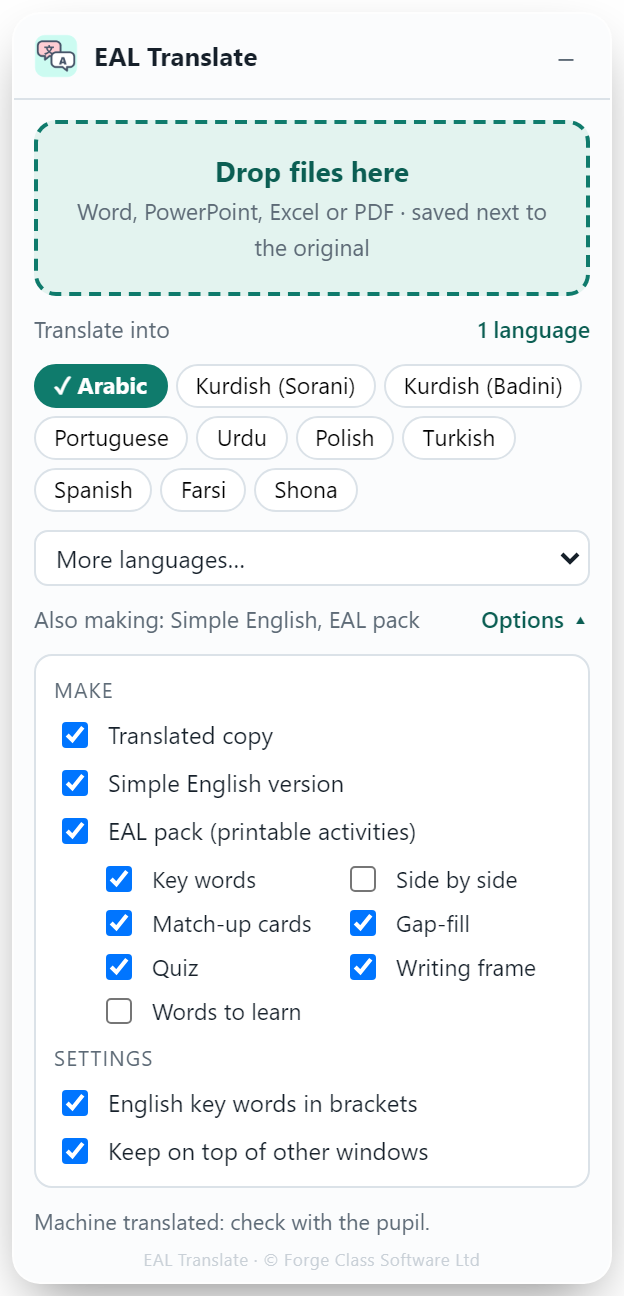
Your school's most common home languages are one-click buttons, and over 50 languages are available.
- 03
Drag your file onto it.
Word, PowerPoint, Excel or PDF. In about 10 to 40 seconds a translated copy in each language appears next to the original, ready to open, print or save as PDF.
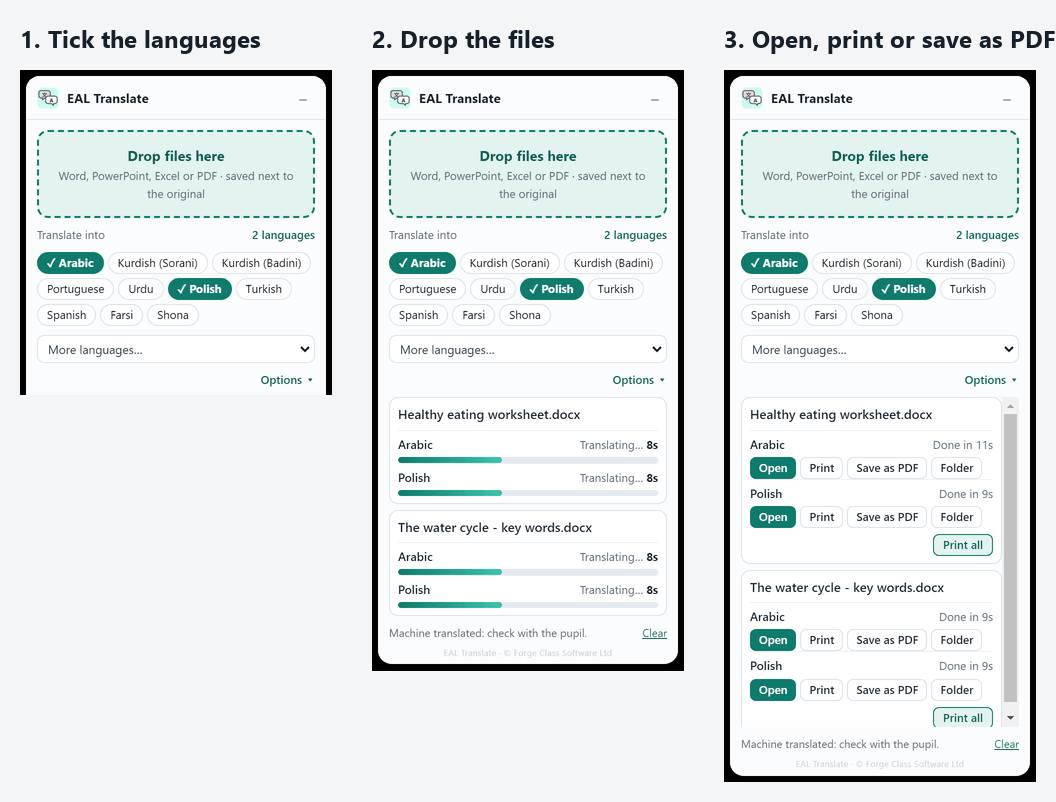
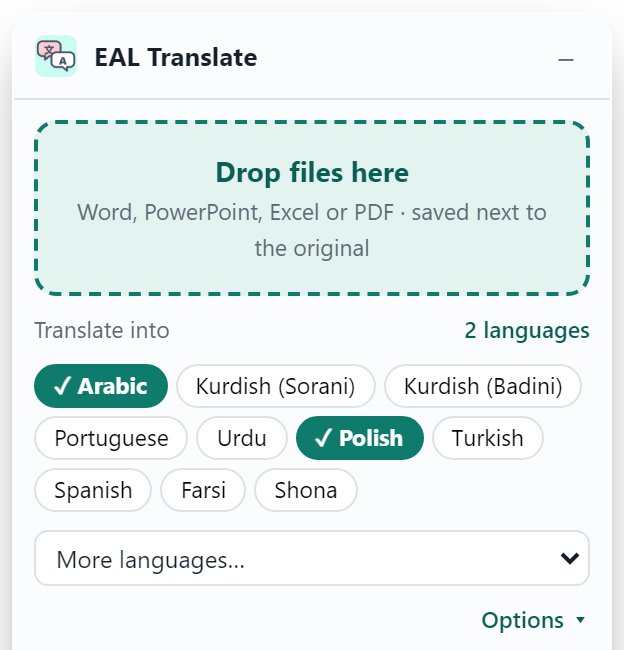
1. Tick the pupil's languages 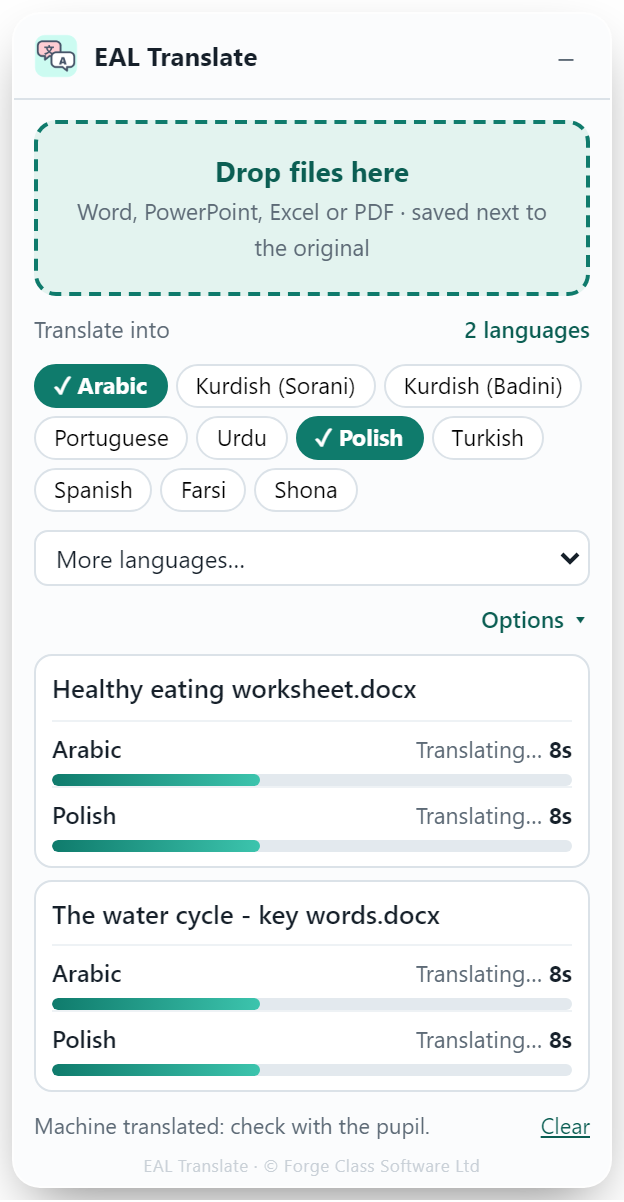
2. Drop files and watch them translate 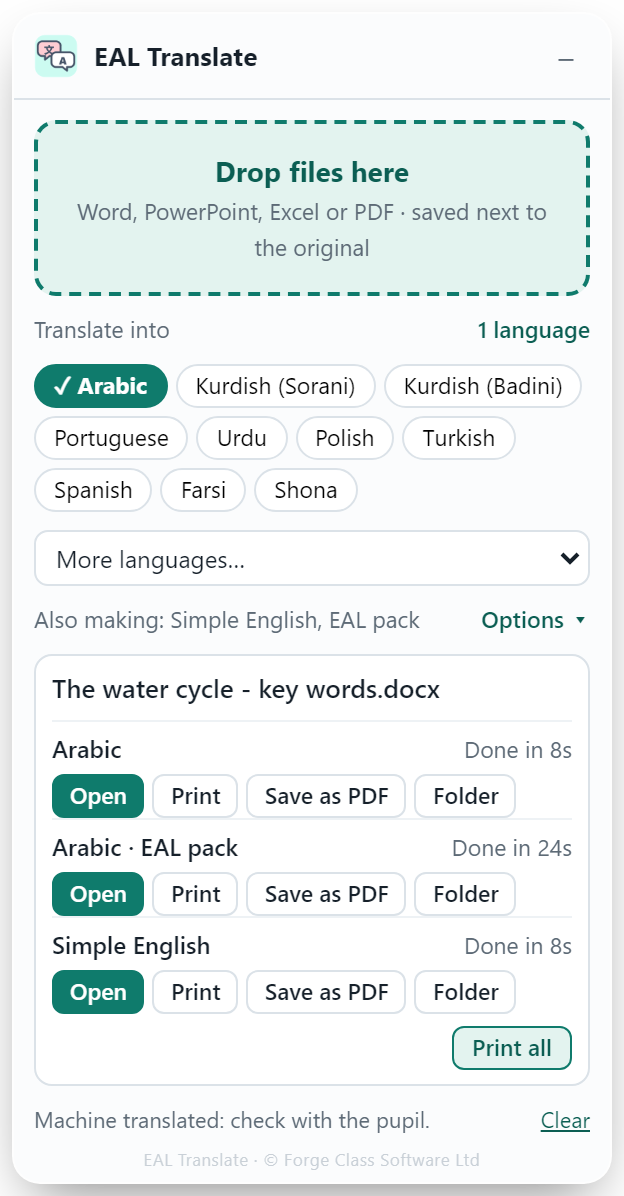
3. Open, print or save as PDF
Before and after
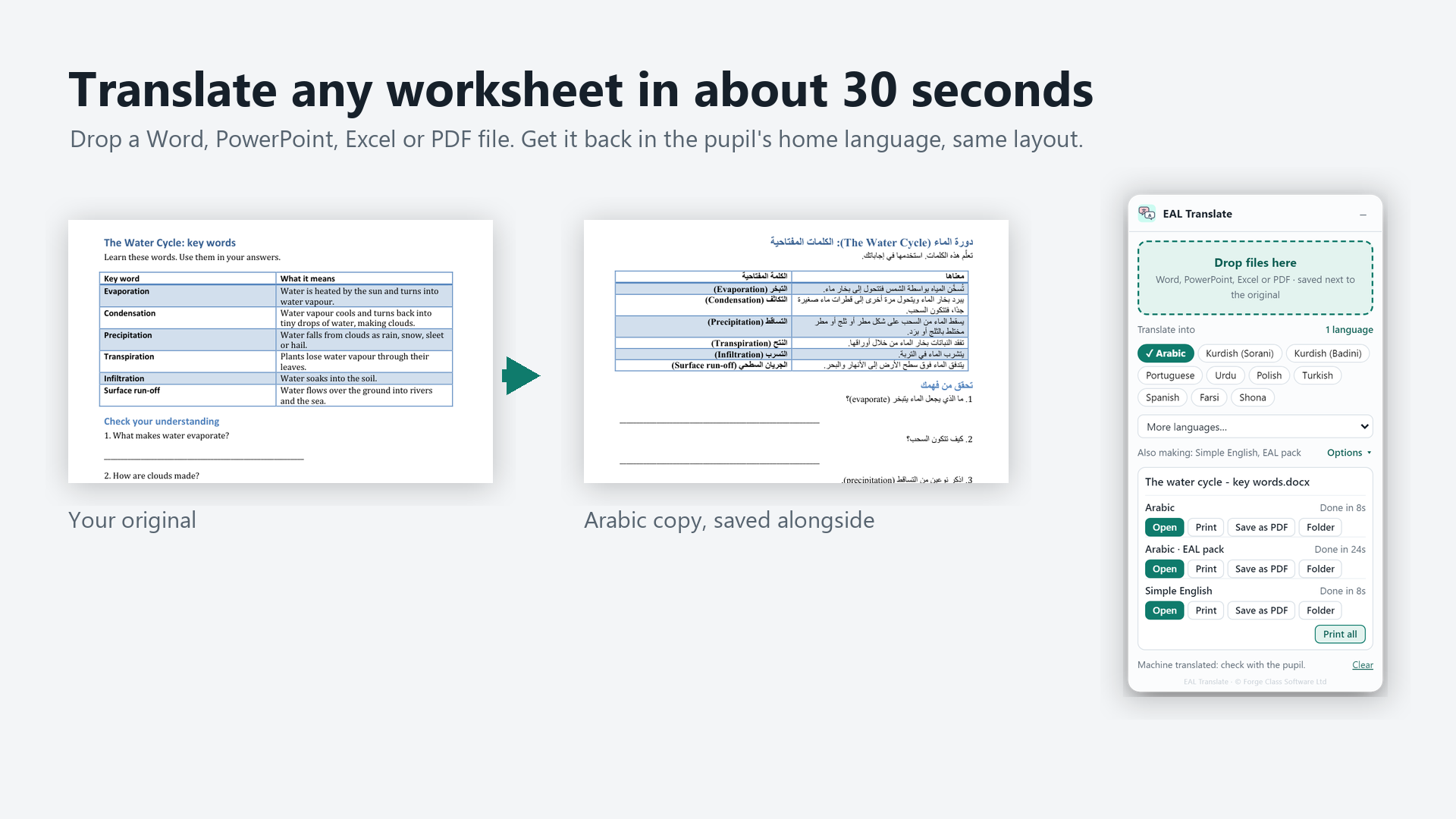
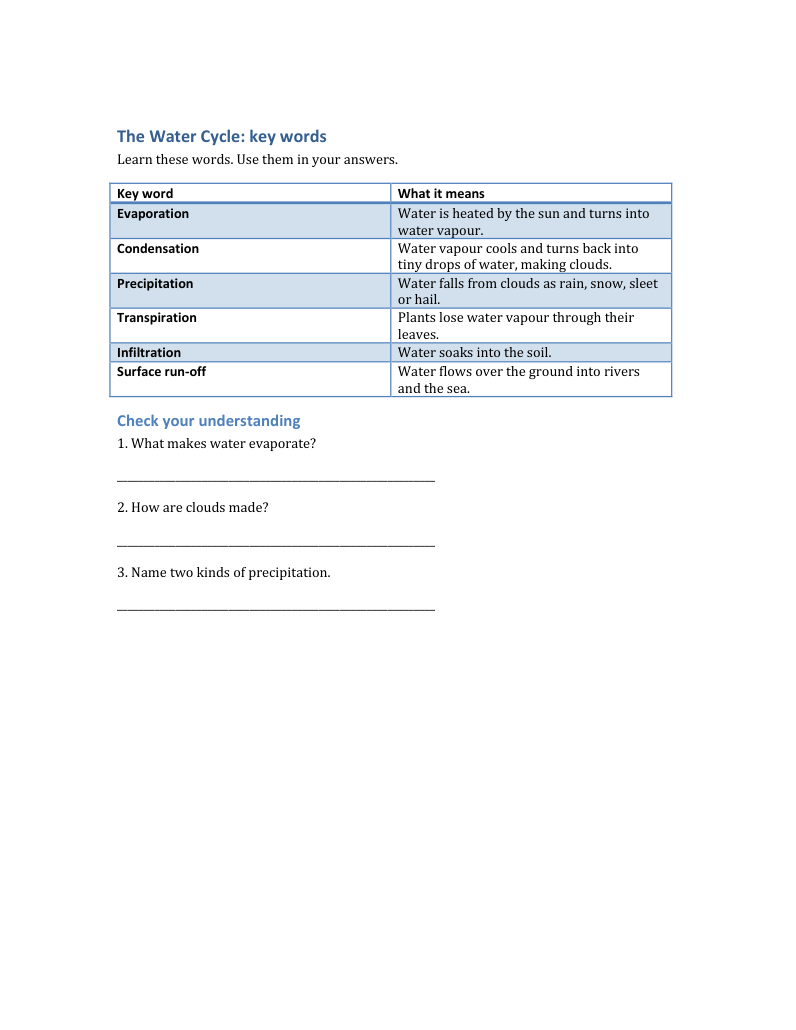
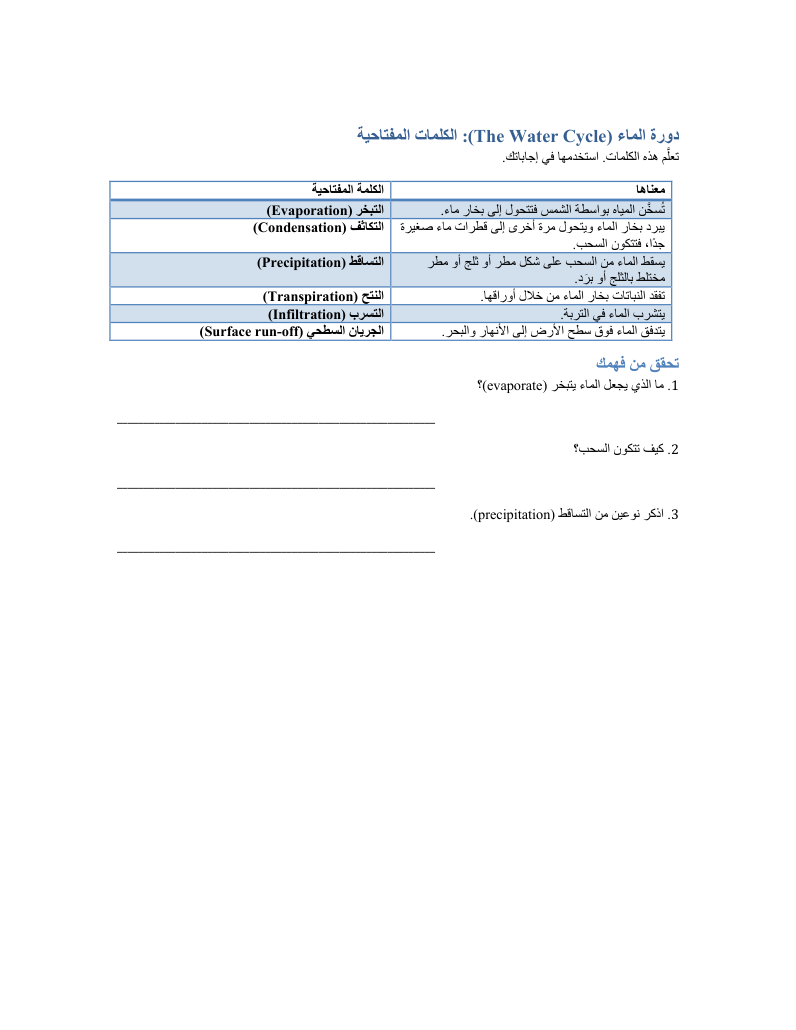
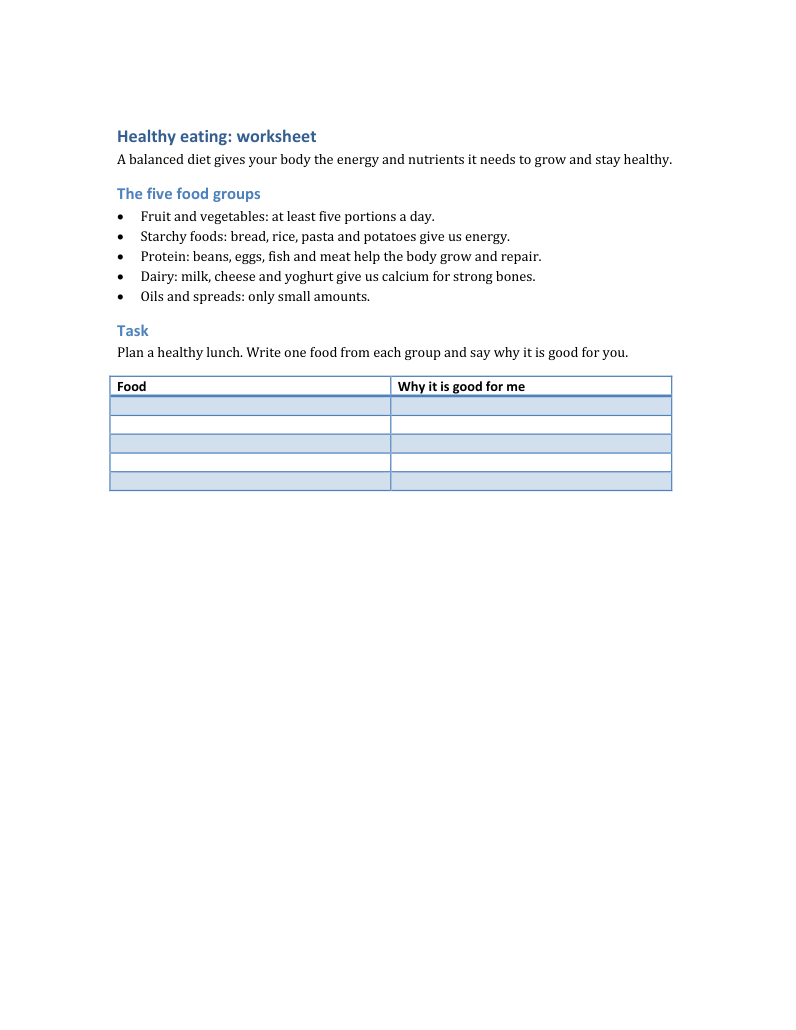
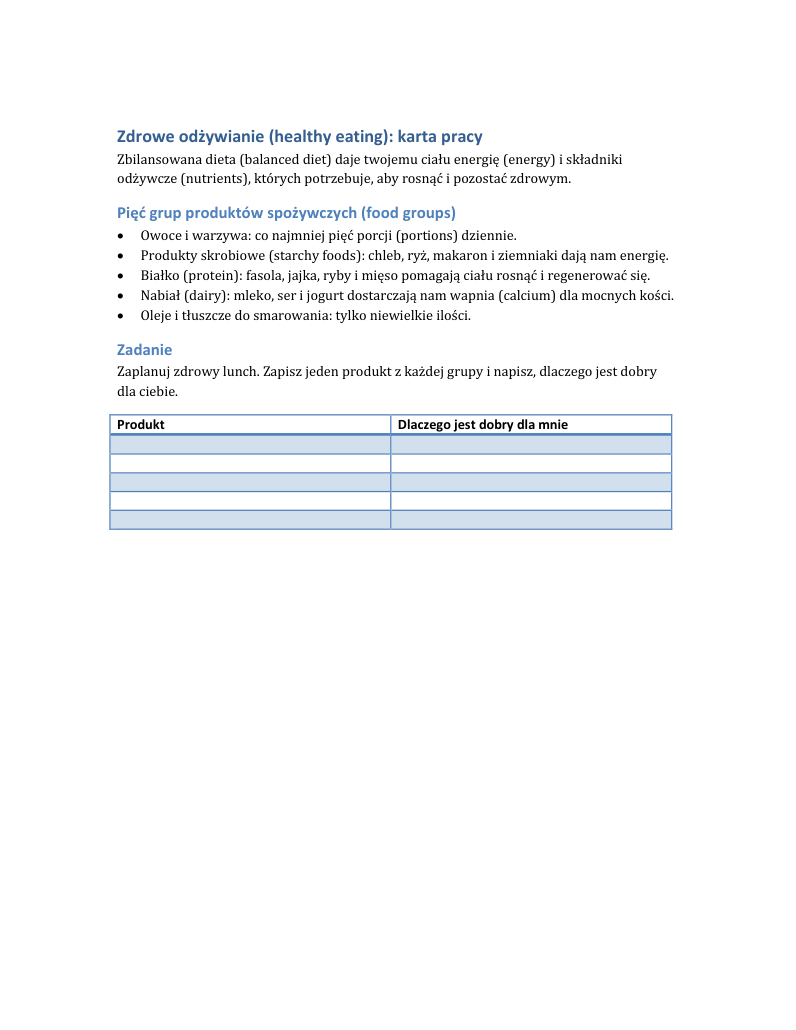
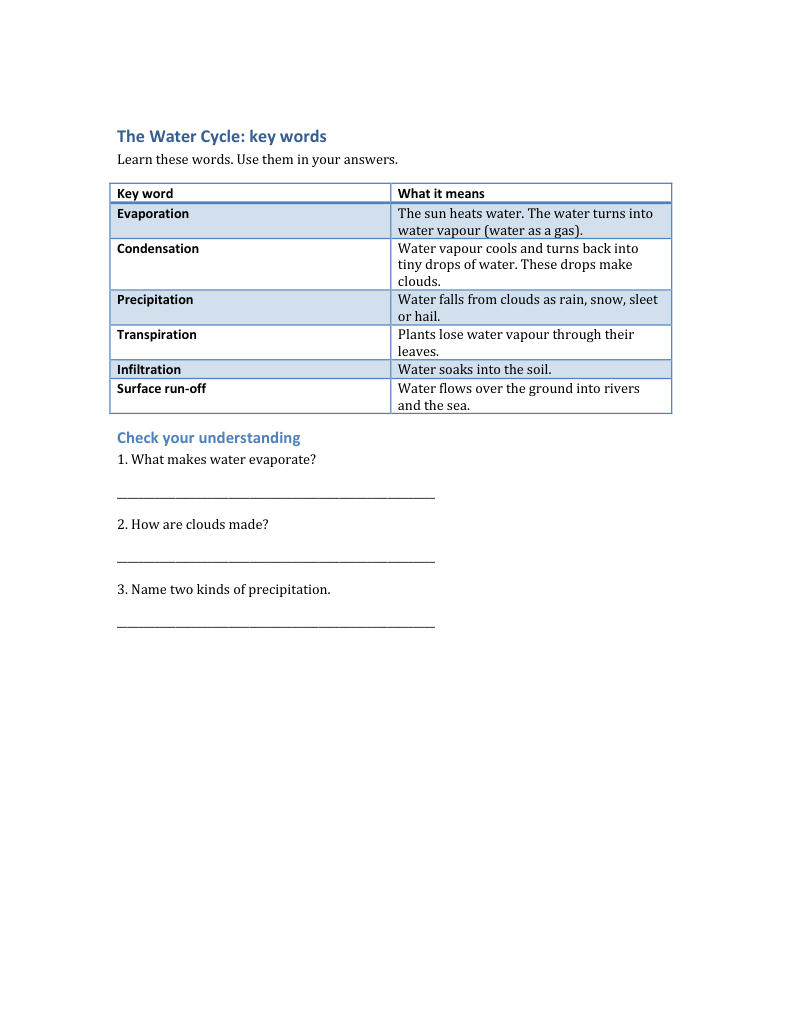
The translated copy keeps the original's tables, pictures and layout. Right-to-left languages read right-to-left.
Translation
Keeps the layout. Tables, pictures, text boxes, bold text and slides stay where they were. Arabic, Urdu, Farsi and other right-to-left languages run right-to-left.
Several languages at once. One drop makes a copy in each language ticked.
Subject words stay visible. English key words can stay in brackets after the translation, so pupils learn the subject vocabulary too.
Real school files. Word, PowerPoint, Excel and PDF, plus older formats, converted using the Office already on the PC. Big slide decks full of pictures are fine.
Print or save as PDF from the app, including Print all.
Live progress. A timer and progress bar for every file.
The EAL pack
Optional extras, from the same file.
Simple English version. The same document rewritten in simpler English, with the same layout.
EAL pack. A printable Word pack in the pupil's language, built from the teacher's own document. It has any of:
- Key word sheet: English, translation, simple meaning and a picture box
- Side-by-side English and translation
- Cut-out match-up cards
- Gap-fill with word bank
- Quick quiz
- Writing frame with sentence starters
- Words-to-learn homework sheet
- Teacher answers page
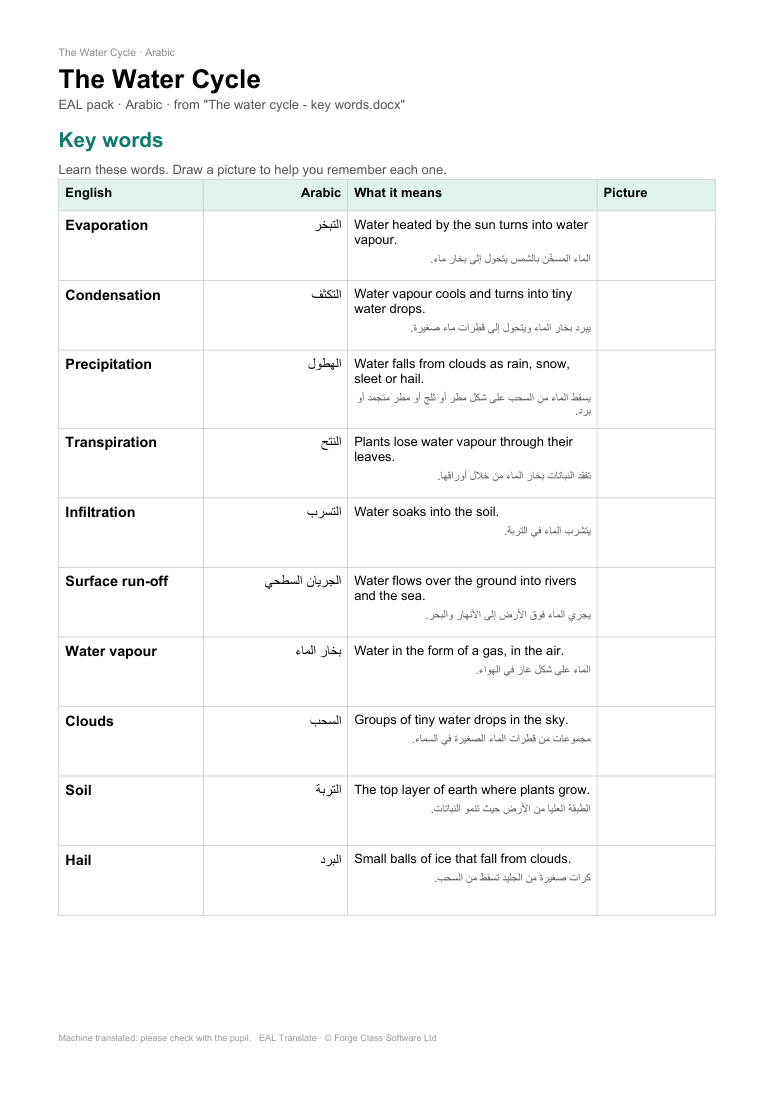
Key words 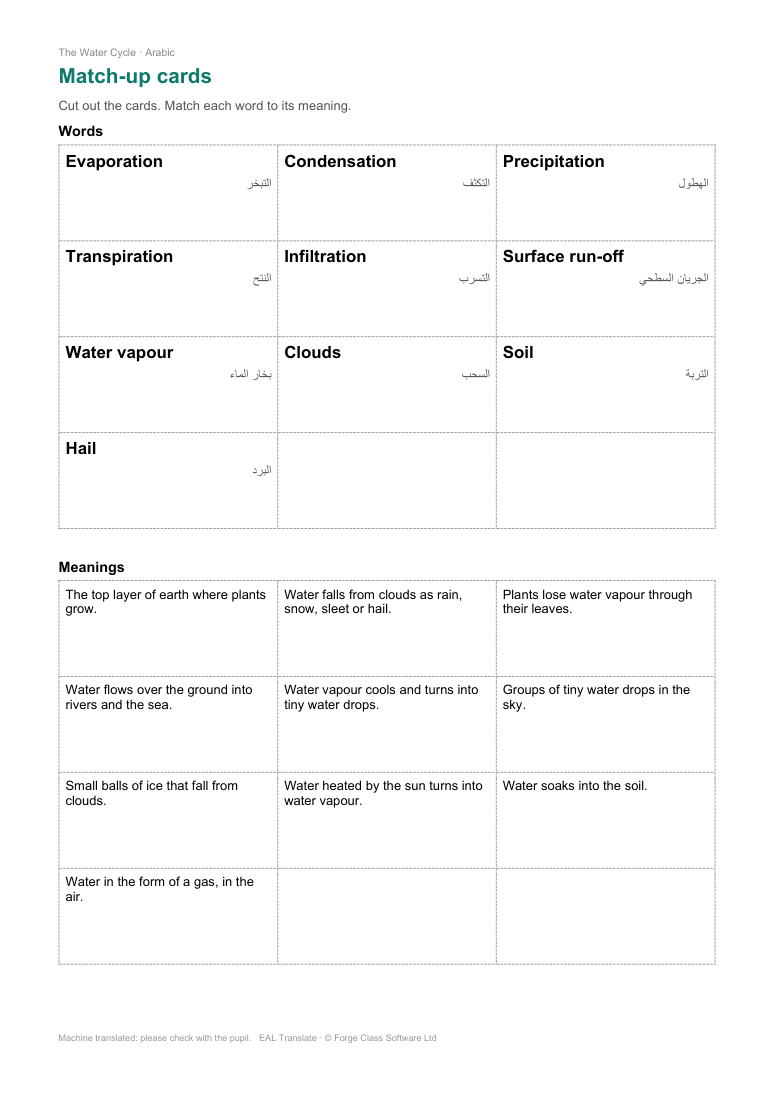
Match-up cards 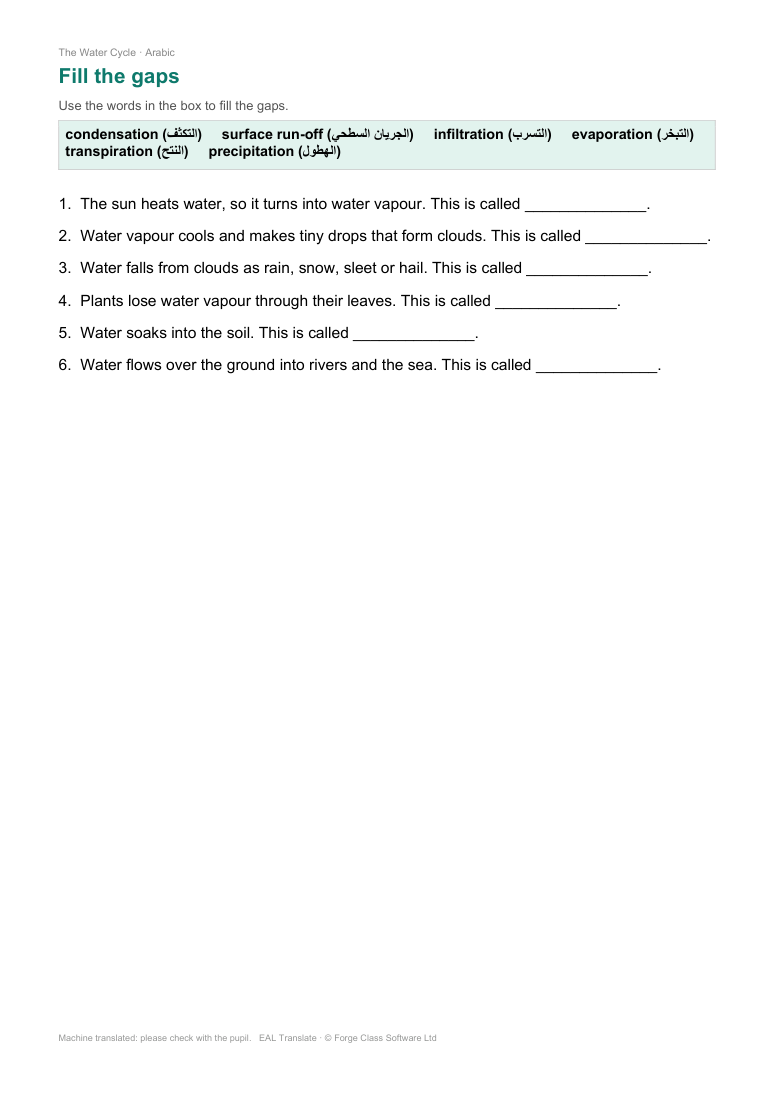
Gap-fill 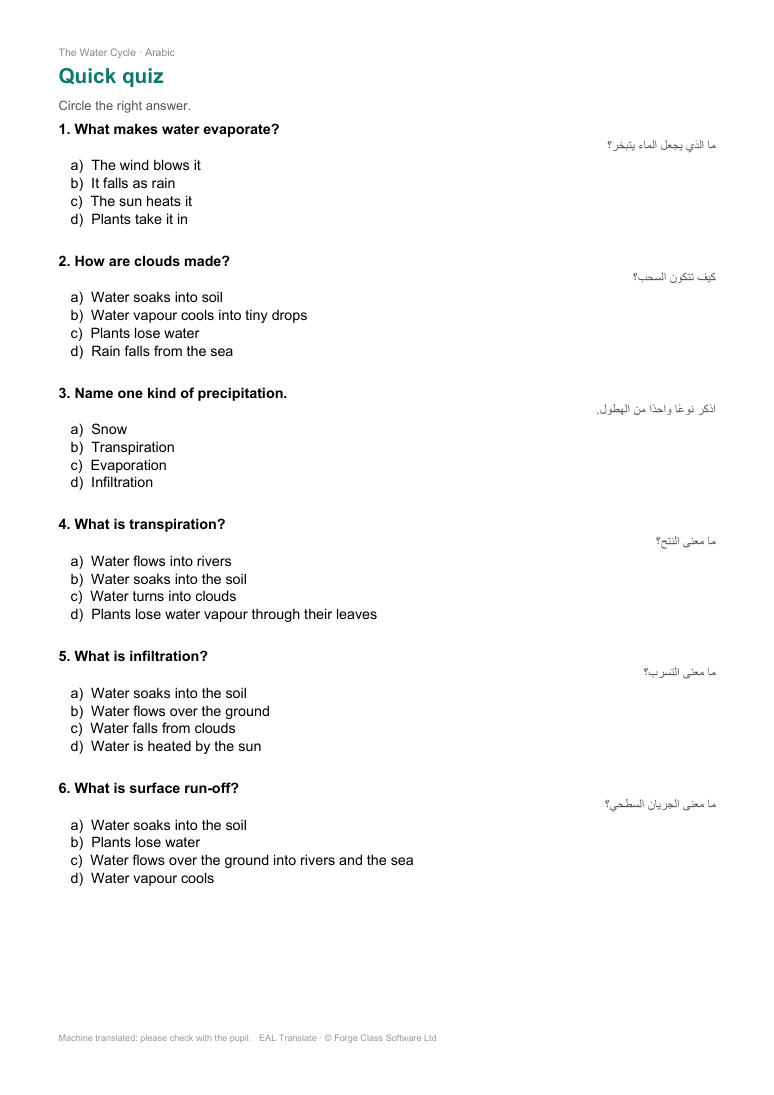
Quick quiz 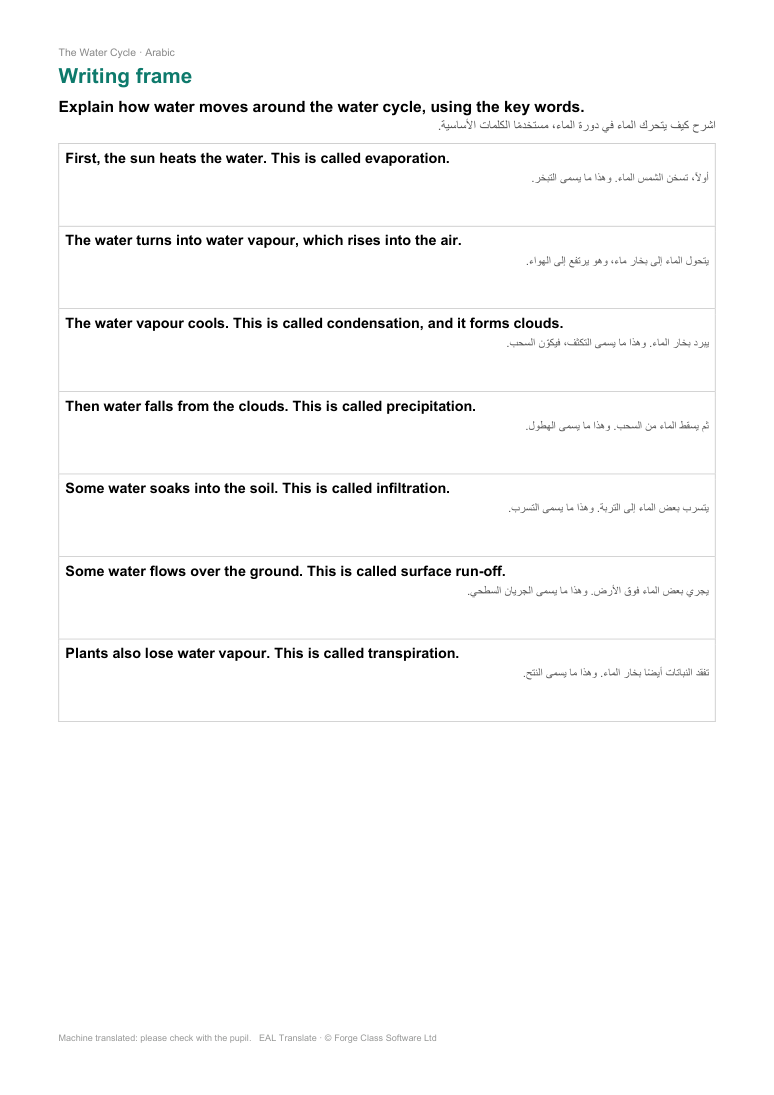
Writing frame 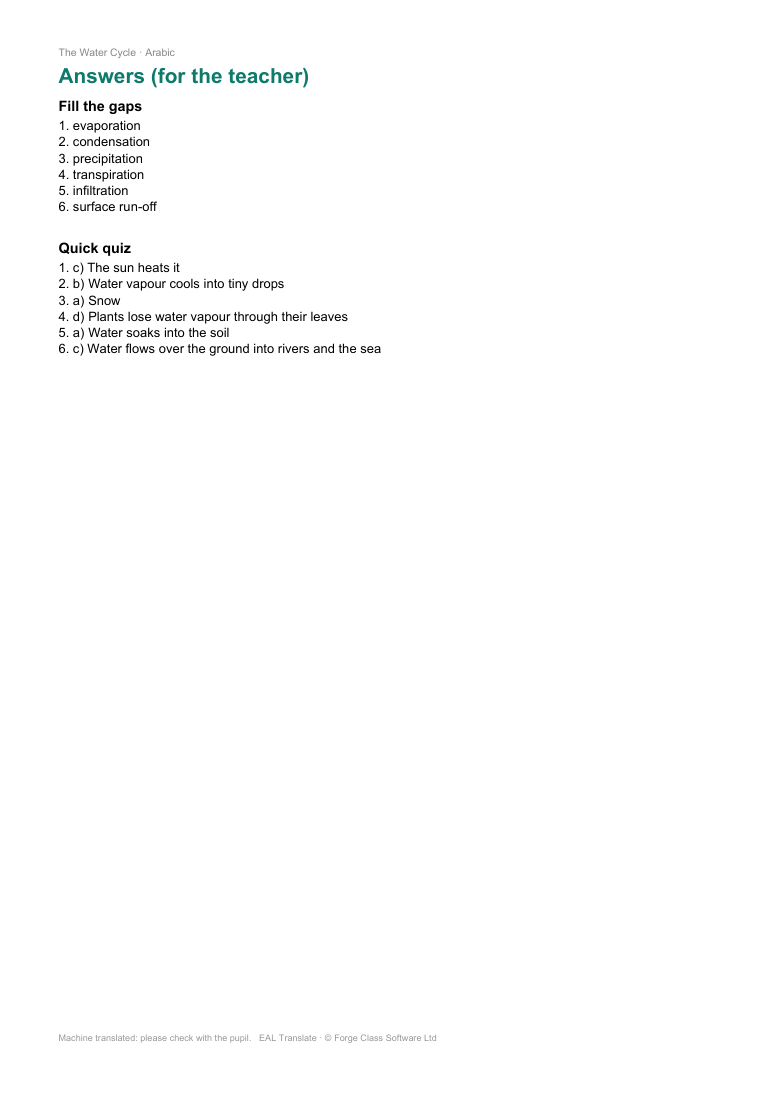
Teacher answers
For school leaders
A usage report, for evidence of EAL provision and inspections.
See how many documents have been translated, by how many different staff (anonymous, never named), and in which subjects, kinds of resource and languages.
Pricing
One yearly subscription per school. Every member of staff can use it.
Primary school
£95a year
- Every member of staff
- Over 50 languages
- Translated copies, Simple English and EAL packs
- Leadership usage report
- IT install pack
- Most schools
Secondary, under 1,000 pupils
£175a year
- Every member of staff
- Over 50 languages
- Translated copies, Simple English and EAL packs
- Leadership usage report
- IT install pack
Secondary, 1,000 or more pupils
£195a year
- Every member of staff
- Over 50 languages
- Translated copies, Simple English and EAL packs
- Leadership usage report
- IT install pack
Buy by card opens Stripe's secure checkout. It asks for the school name and the IT contact's email. The IT contact gets the install pack by email a few minutes after payment.
No VAT is charged.
Renews each year. We'll remind you before it does, and you can cancel any time by emailing sales@forgeclass.co.uk.
Buying for several schools in a trust? Email sales@forgeclass.co.uk.
For IT and network managers
Nothing for teachers to set up.
Installs for staff accounts only, with a logon script (no admin rights needed), or with an MSI on staff-only PCs. Full guide in the install pack.
Starts at sign-in and lives in the system tray.
Signed by Forge Class Software Ltd. Schools trust the publisher certificate once, so Windows doesn't show "Unknown publisher".
Nothing else to install. Teachers don't sign in.
Network. It only talks to our server over HTTPS, using the normal Windows proxy settings, so it works through school web filters.
Light. About 100 to 150 MB of memory per user, and no CPU while idle.
Data protection
Documents are not stored. They are translated and sent straight back.
Text is translated using Anthropic's Claude AI.
No pupil data is needed. Staff are asked not to translate documents containing pupil names.
Usage records are anonymous: a scrambled staff number, never a name.
If a subscription ends, the app stops working; nothing is left running.
Small printTranslations are made by AI. Staff should check important documents with the pupil or the school's EAL lead.
Questions
Which languages?
Which files?
How accurate is it?
Do teachers need an account?
Where does our data go?
How do we install it?
What does it cost?
What happens when the trial or subscription ends?
Can we pay by invoice?
Can we cancel?
See it translate one of your own worksheets. It takes about 30 seconds.
Questions? Email sales@forgeclass.co.uk