Skip to content

School website review

A review of a school website against what inspectors check, and a dashboard that shows when those pages are being read.

Client
A UK secondary school
What it is
Website review and inspection-readiness dashboard
Who uses it
The school's senior leadership team
Status
Live
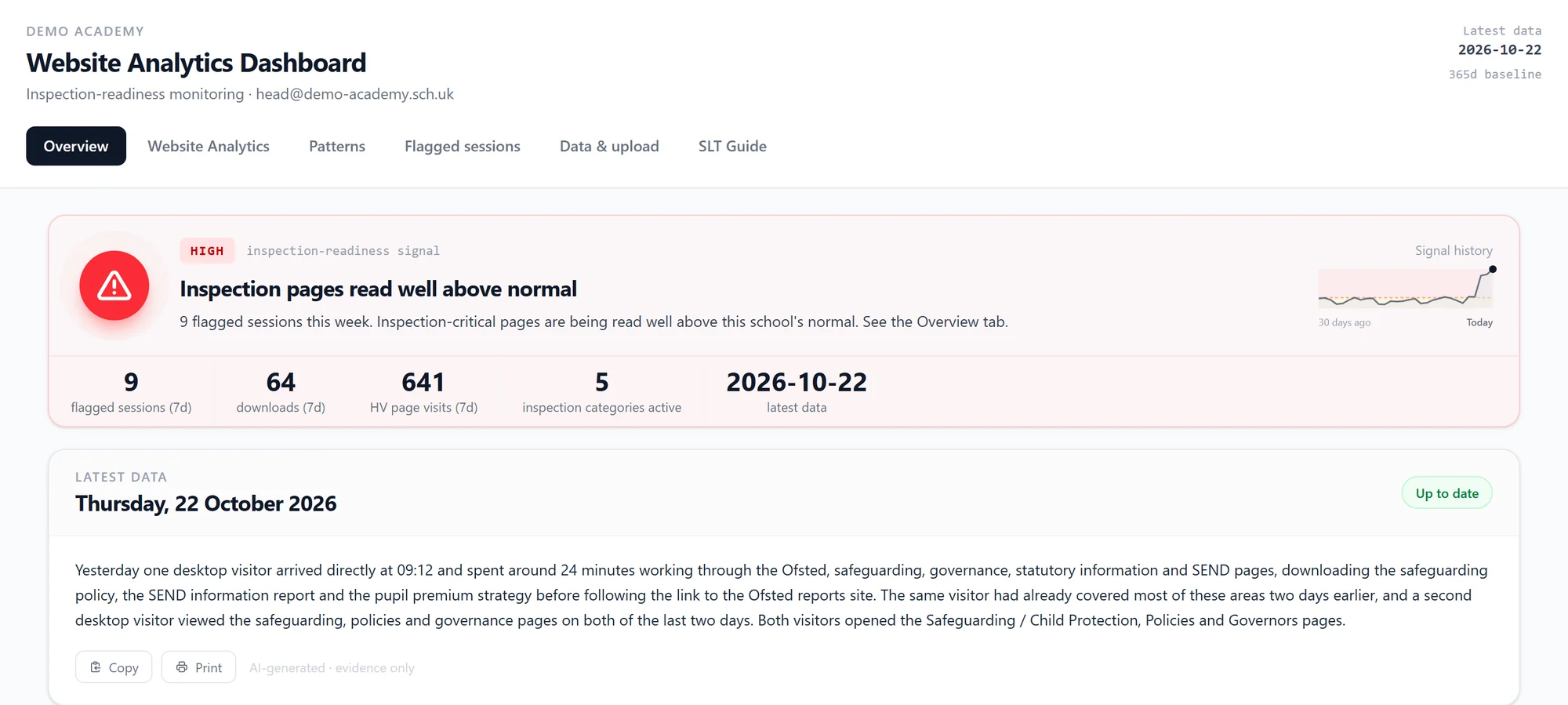
Dashboard header showing a HIGH inspection-readiness signal, 9 flagged sessions, 64 downloads and a short written briefing describing yesterday's visits.
Fig. 1The morning view: one signal level, the week's key numbers and a plain-English briefing of what was read yesterday. Sample data.

01/ 04

The problem.

Schools have to publish a long list of statutory information, from the SEND information report to the pupil premium strategy, and inspectors read it before they visit. A school website grows for years: policies pass their review dates, pages get duplicated, and nobody is quite sure which pages matter most or when anyone last checked them.

02/ 04

The review.

We went through the whole site and sorted 278 pages into 11 areas. Five of them are the areas inspectors focus on: Ofsted, safeguarding, governance, statutory information, and SEND and inclusion. Every important page has a plain-English check written against DfE requirements, such as “the safeguarding policy cites the current KCSIE, names the DSL and a deputy, and was reviewed in the last 12 months”. Leaders tick the checks off as they go, so the review stays current instead of sitting in a PDF.
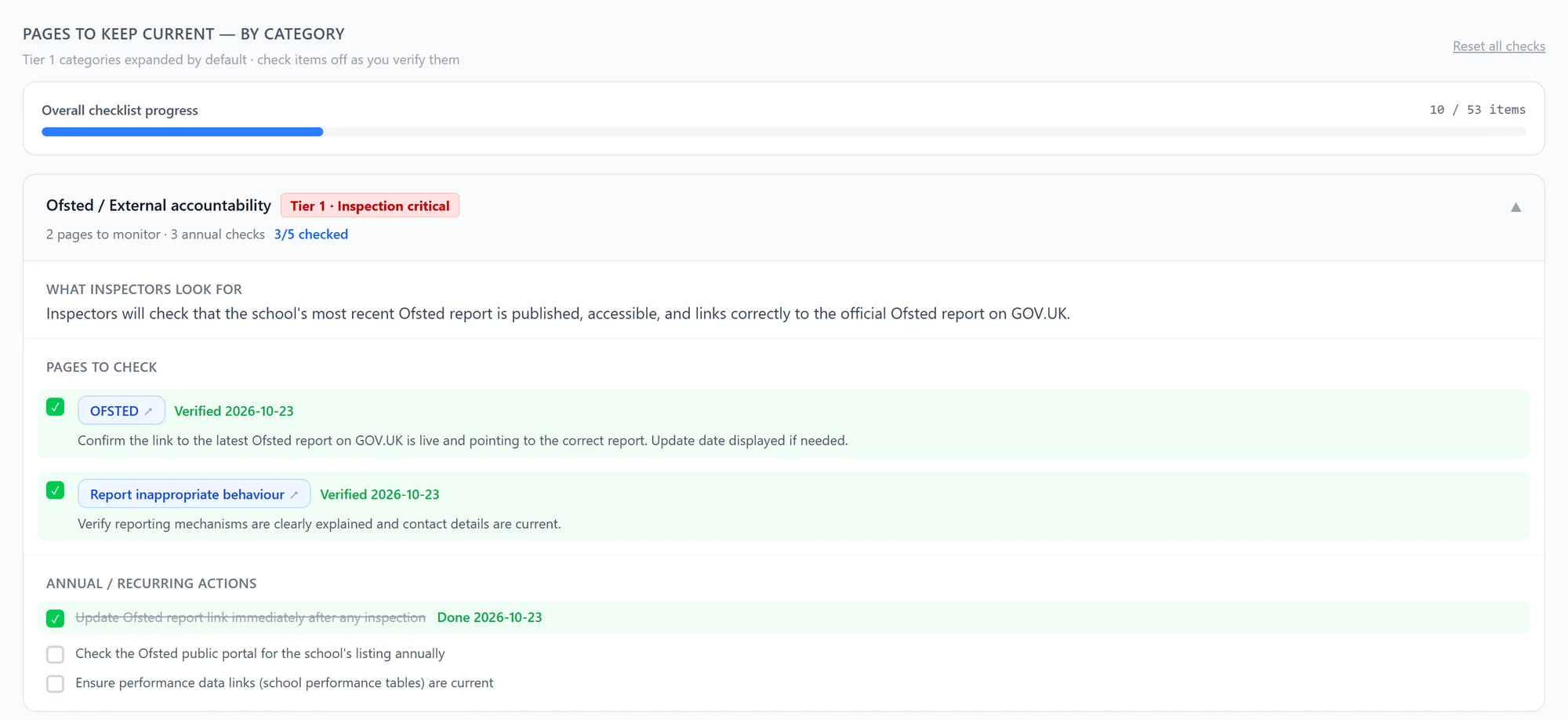
Checklist progress bar and the Ofsted area, with what inspectors look for, the pages to check, a note on what to verify for each and several items ticked with dates.
Fig. 2The review as a checklist: what inspectors look for in each area, the pages to check and a plain check for each, ticked off as leaders go. Sample data.

03/ 04

The dashboard.

A private dashboard, open only to school accounts, imports the website's visit data every day and tags each visit by those areas. A year of visits sets the baseline, so the signal compares this week with the school's own normal: moderate above the average, elevated above the 75th percentile, high above the 90th. Alongside it are the routes visitors took through the site, the busiest days and times, and a short daily briefing in plain English.
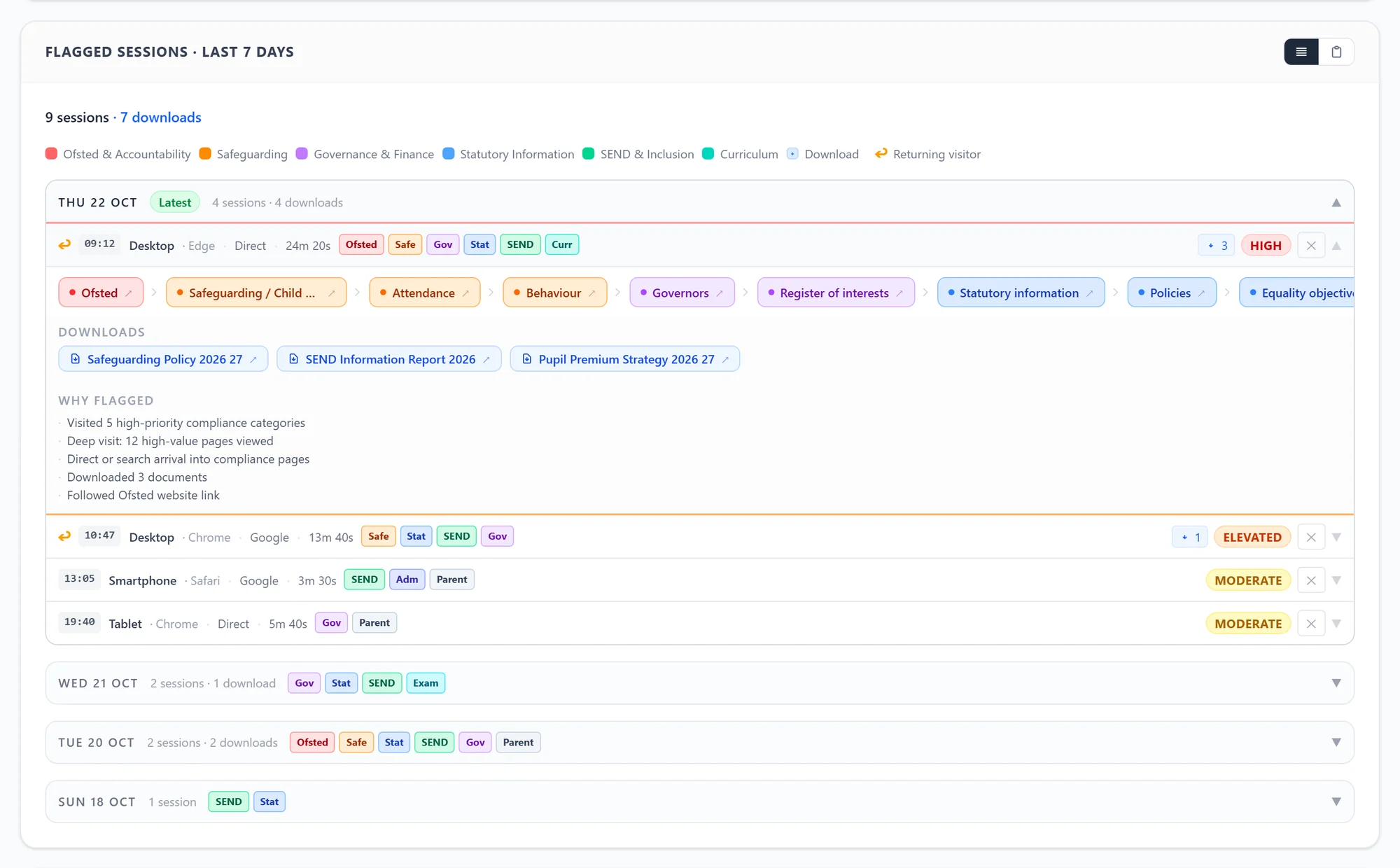
A flagged desktop visit expanded to show its path through Ofsted, safeguarding, governance and SEND pages, three policy downloads and five flag reasons.
Fig. 3One visit opened: the pages read in order, the documents downloaded and the reasons it was flagged. Sample data.
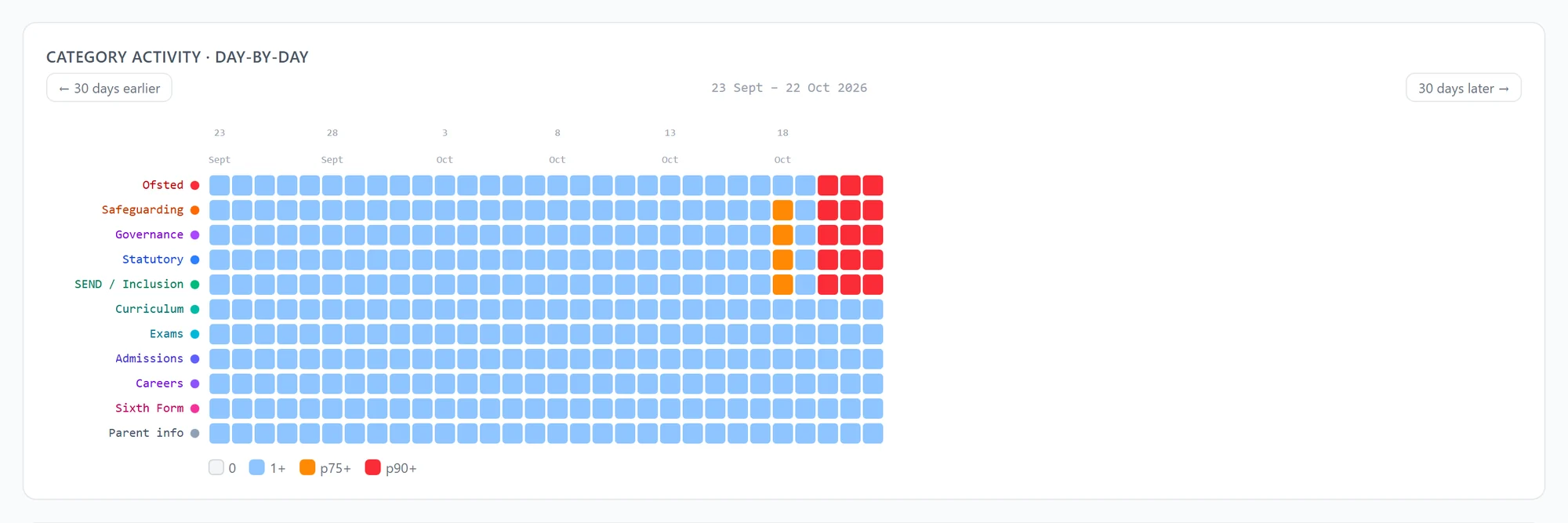
Heatmap of eleven page areas over thirty days, mostly blue, with Ofsted, safeguarding, governance, statutory and SEND turning red on the final three days.
Fig. 4Thirty days by area. A normal month, then five inspection areas well above normal on the last three days. Sample data.
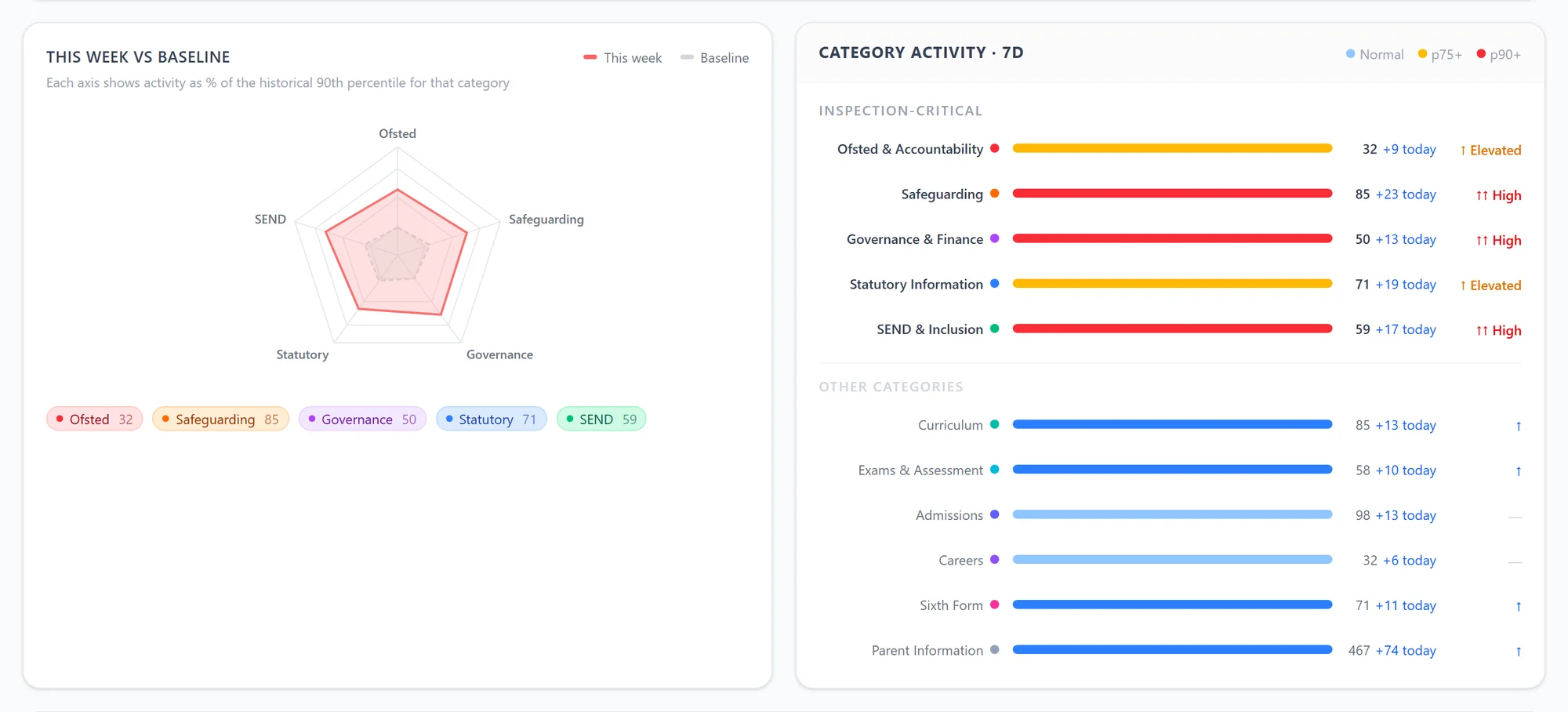
Radar chart and bar list comparing this week's visits to each inspection area with the school's baseline.
Fig. 5This week against the school's own normal, area by area. Sample data.
Fig. 6The one-minute walkthrough, silent with captions: the morning signal, one flagged visit, this week against normal, the day-by-day view and the review checklist. Sample data.

04/ 04

What it means for your school.

Every school has to keep its website compliant, and most find out what is missing when someone else points it out. Our school website health check starts where this project started: a page-by-page review against the statutory list, with the fixes in order. The dashboard is there if you want to go further.

If you do, each of the four signal levels says who acts and what they do within 48 hours, from a routine check by the website lead to the headteacher and senior team walking through every inspection-critical page.
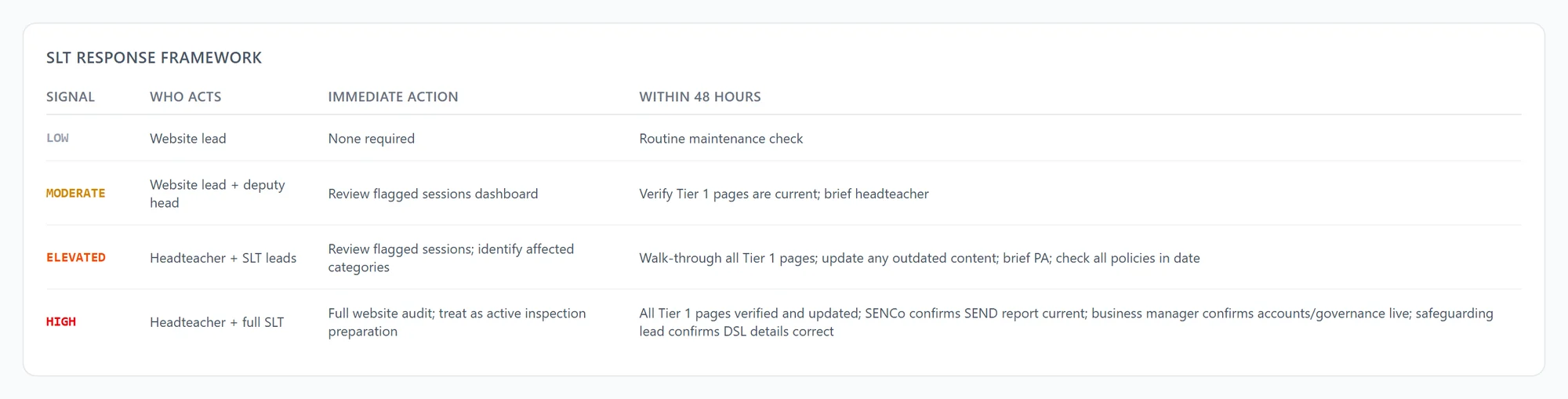
Table setting out who acts, the immediate action and the 48-hour action for each signal level.
Fig. 7Who acts at each level, and what they do now and within 48 hours. Sample data.

The project in numbers

pages reviewed and sorted
278
areas, five of them inspection priorities
11
months of visits behind the baseline
12
signal levels, checked daily
4

Built with

Next.js, TypeScript, Firebase, the Matomo analytics API, school account sign-in.
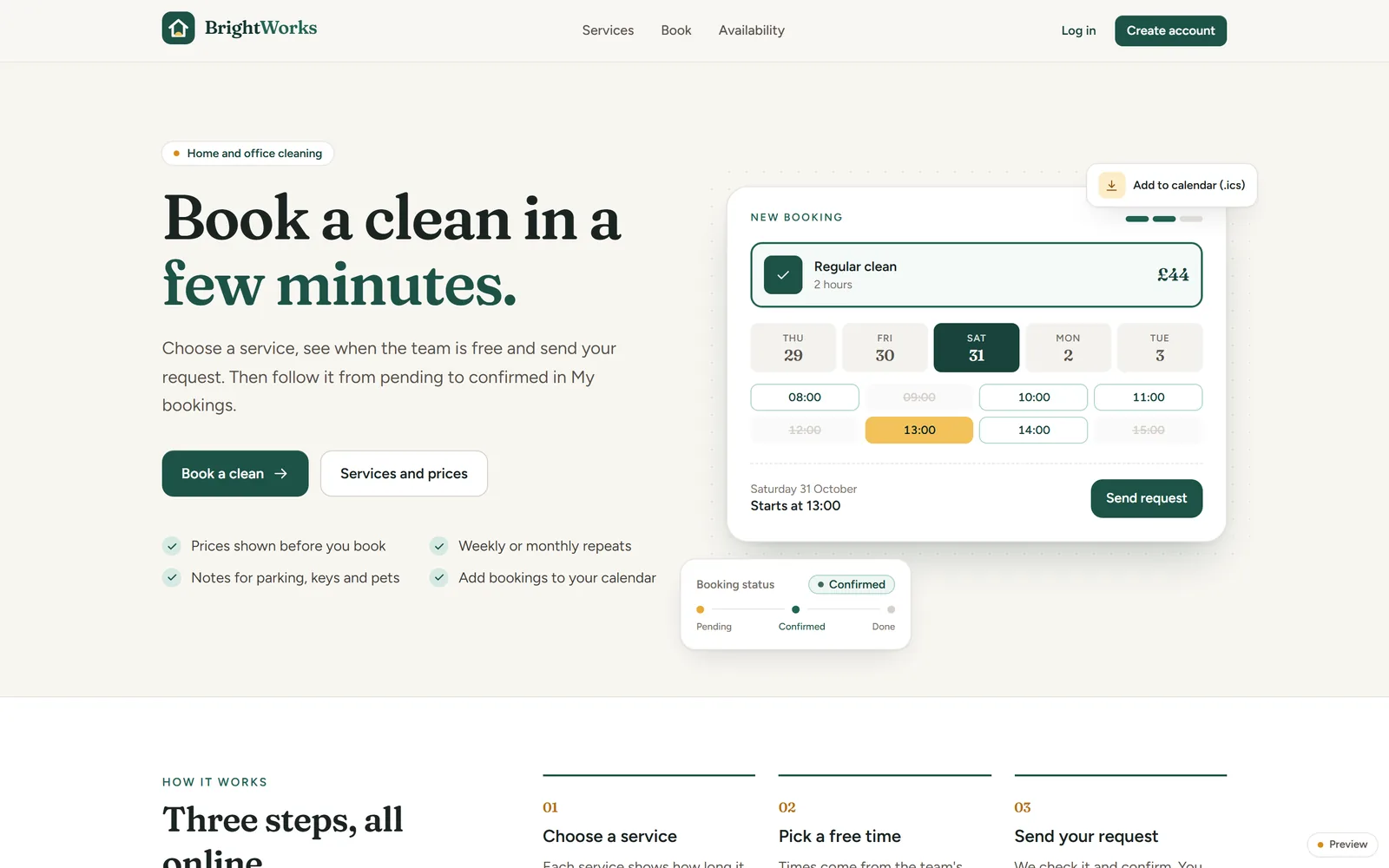
Next case studyBrightWorksCustomers book a clean in a few minutes. Cleaners see their day, and the office sees the whole team's week.

Start a project

Tell us what you're trying to do.

A few lines is plenty. We reply within one working day, and the first call is free.

Prefer email or a call?enquiries@forgeclass.co.uk07825 030128Forge Class Software Ltd, Sheffield