BrightWorks
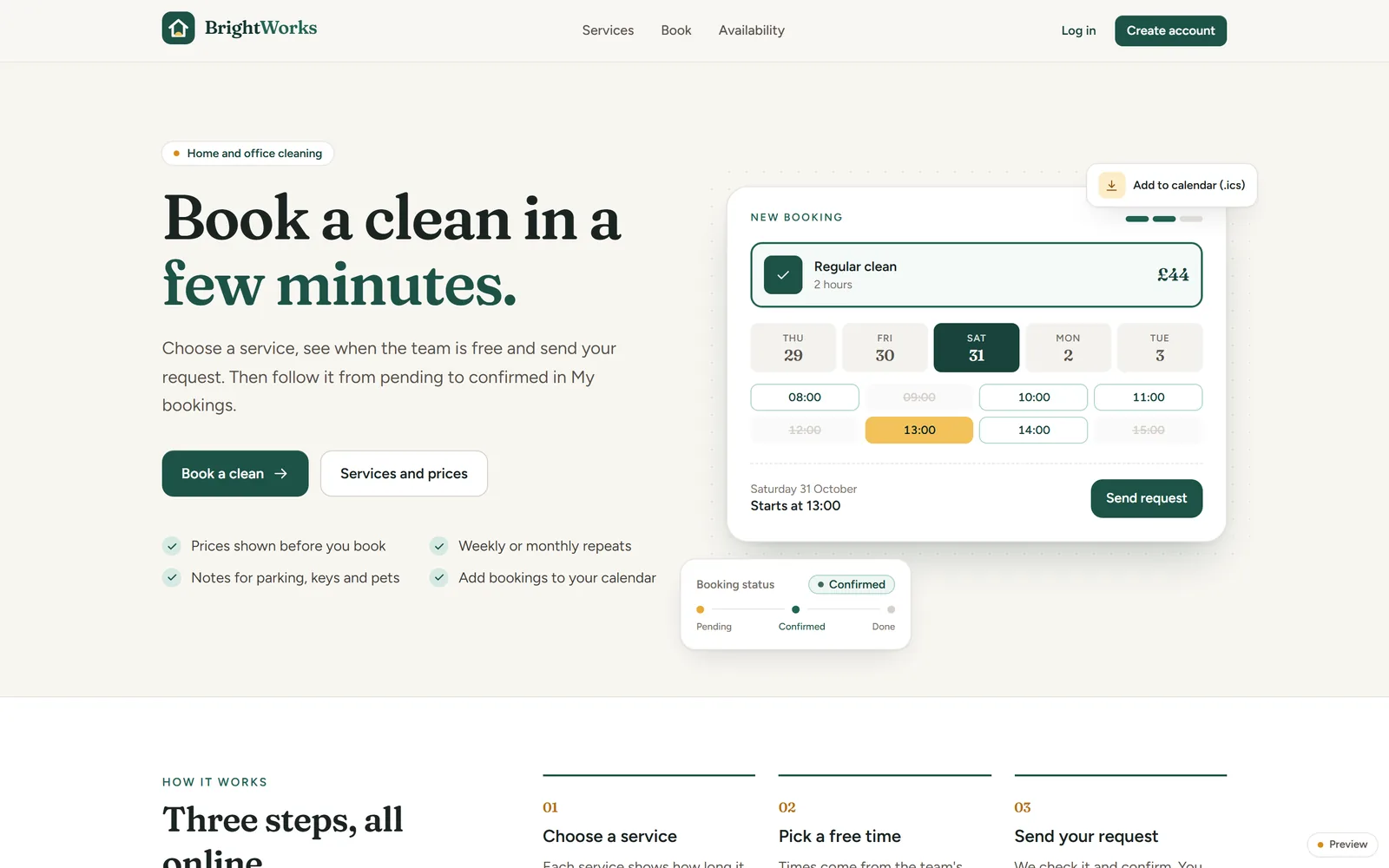
Customers book a clean in a few minutes. Cleaners see their day, and the office sees the whole team's week.
- What it is
- Booking system and mobile app
- Who for
- A cleaning franchise
- Runs on
- Website, plus a mobile app
- Status
- Built
01/ 05
The problem.
Without a booking system, a cleaning business takes bookings by phone, text and email, then fits them round a team with different hours and days off. Customers can't see when anyone is free, so every booking means a conversation.
02/ 05
For customers.
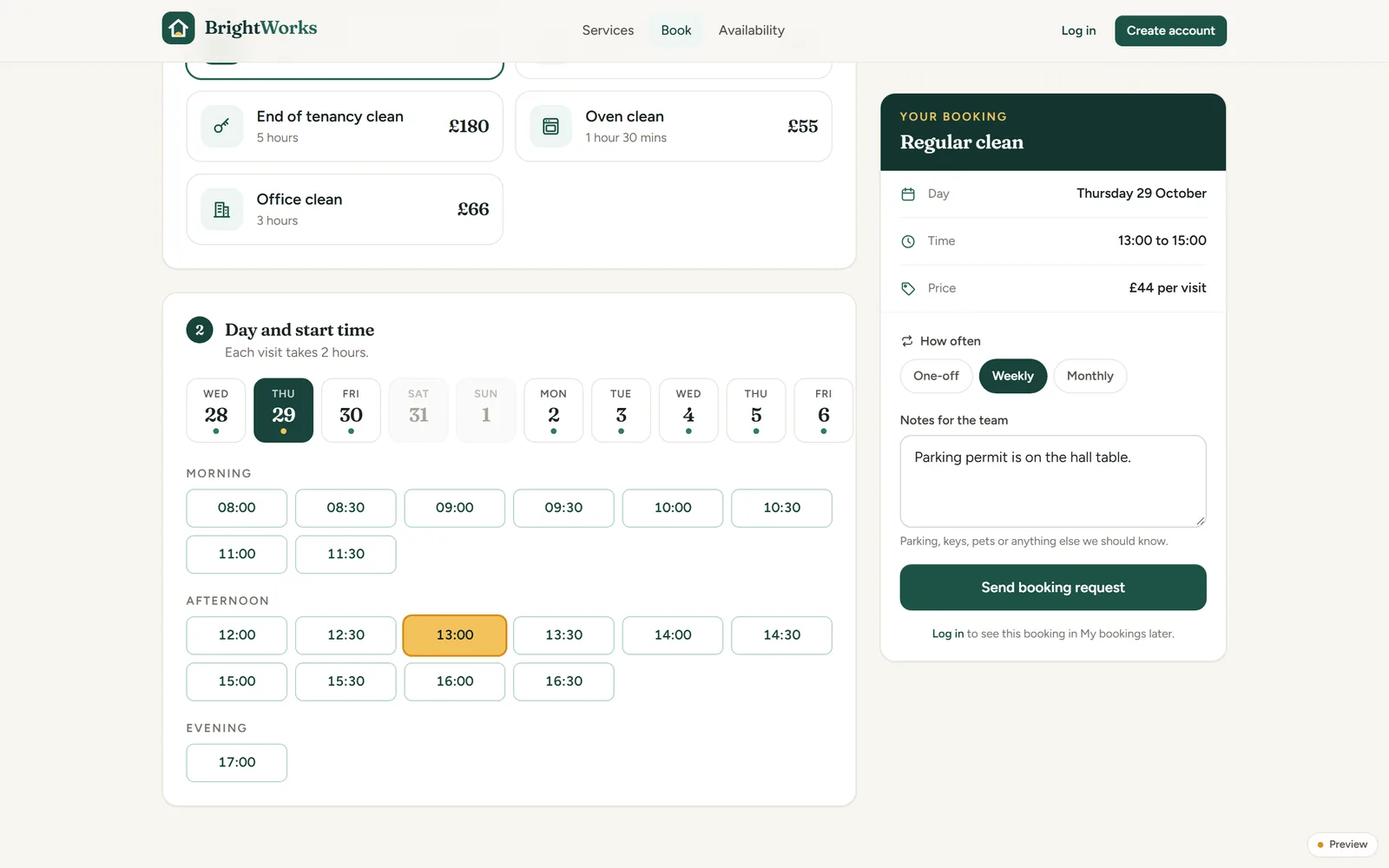
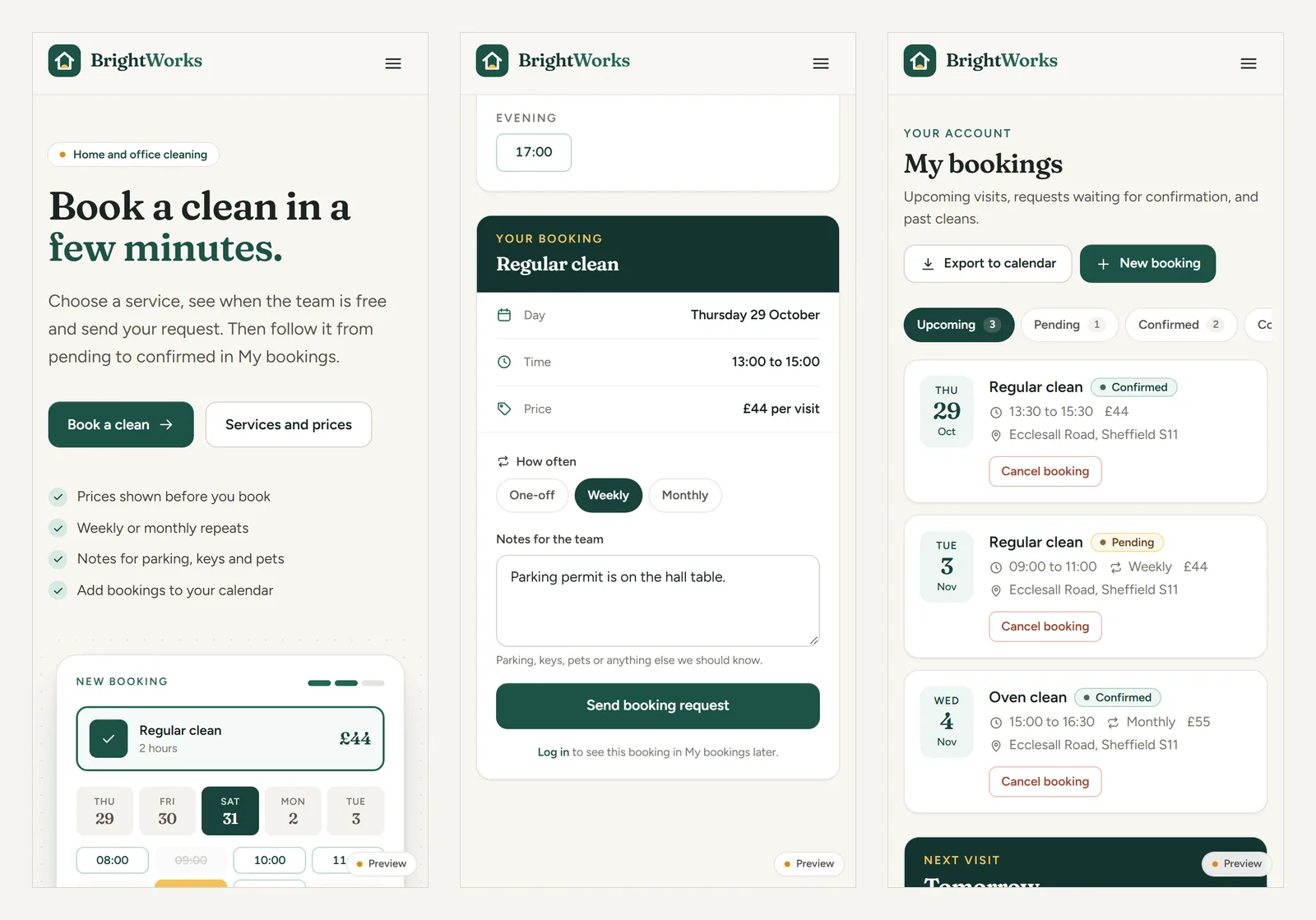
Customers choose a service with a fixed length and price, see the times when at least one cleaner is free, and send a request. They can make it weekly or monthly and leave notes about parking, keys or pets. My bookings shows what's pending, confirmed and done, and adds every visit to their own calendar.
03/ 05
For the cleaners.
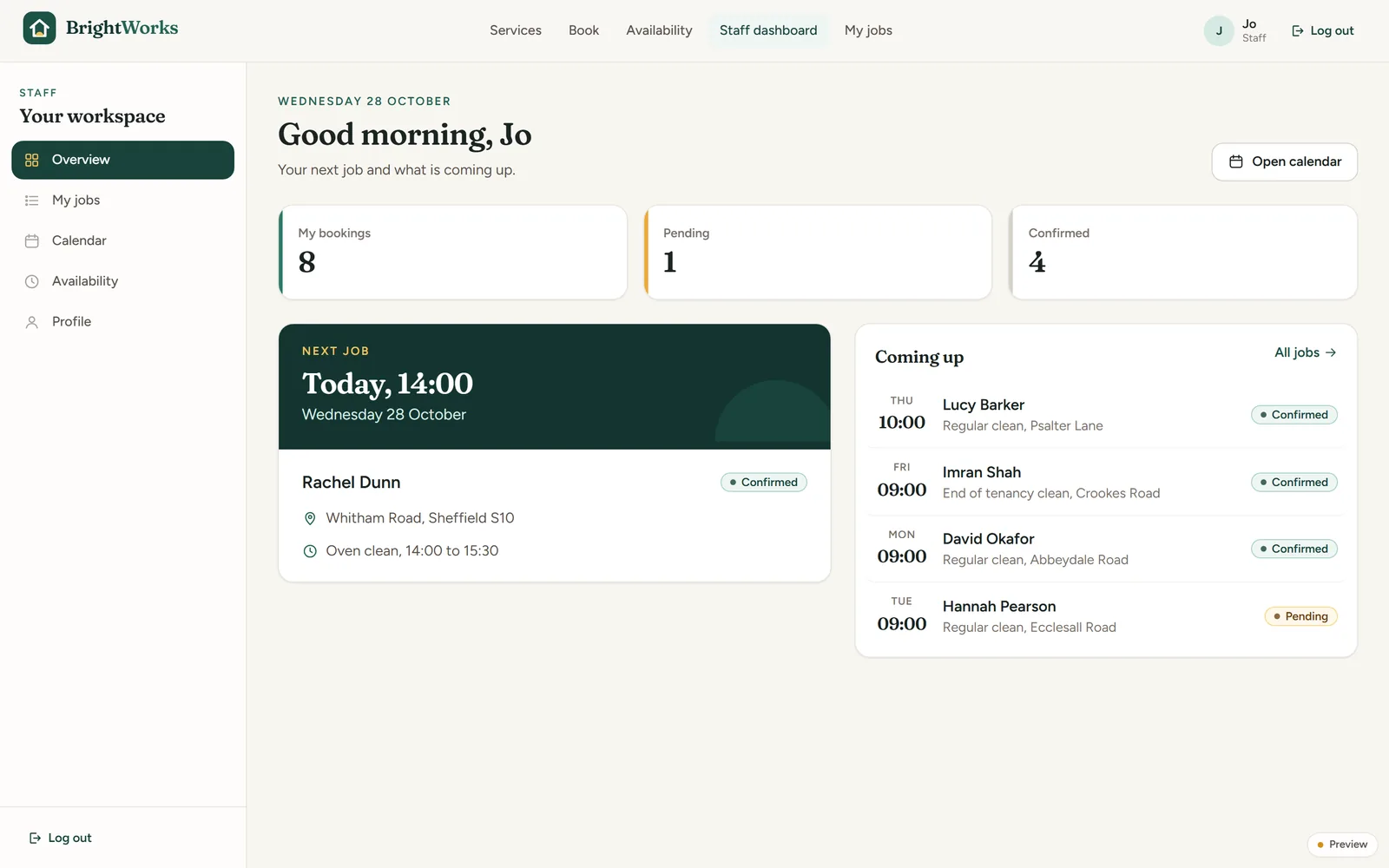
Each cleaner has their own dashboard: their next job with the address and service, what's coming up, and a calendar with their working hours behind the jobs and any time off marked. They set their own availability, which is what customers see as free times.
04/ 05
For the office.
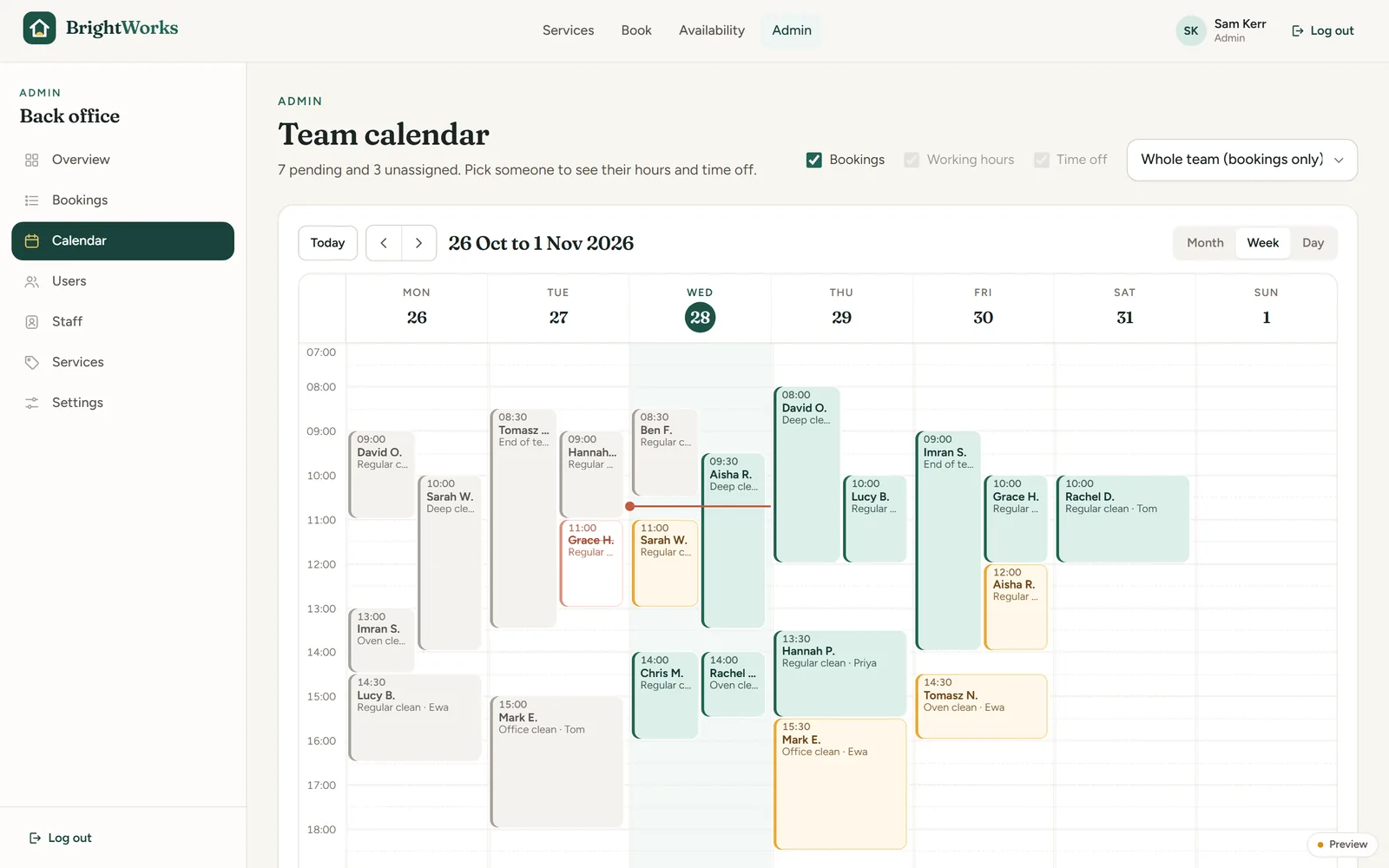
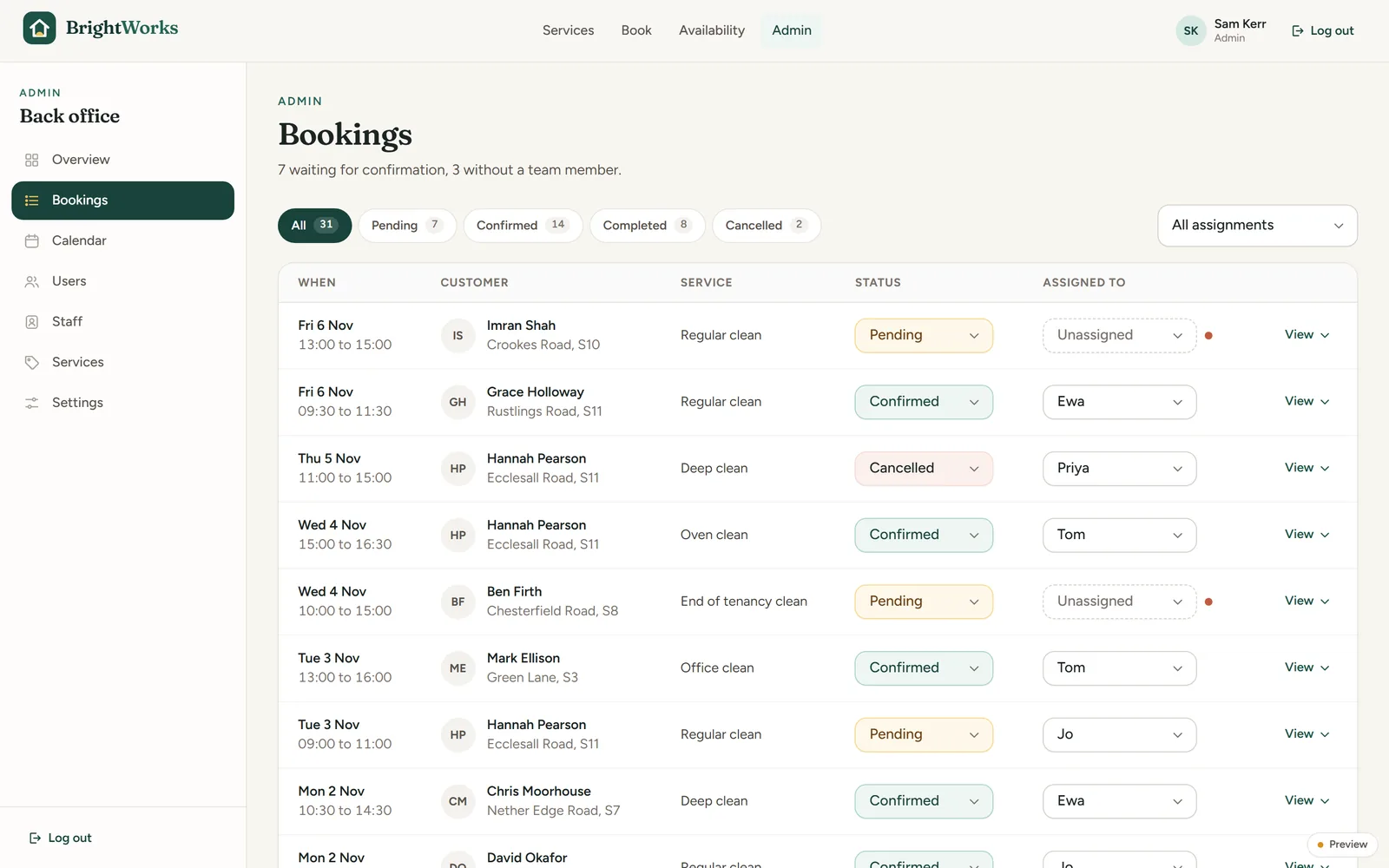
The office sees the whole team's week on one calendar, coloured by status, and works through new requests in a booking list: confirm, move or cancel, and assign a cleaner. Unassigned jobs are flagged. Services, prices, staff and settings are all edited in the same back office.
05/ 05
What we could build for you.
Any business that books people's time can run this way, without paying a fee on every booking to a third-party platform. For example:
- Appointments for a salon, clinic, garage or tutor, with staff hours and time off built in.
- Bookable rooms, pitches or equipment for a club, venue or council.
- Job sheets for trades: the customer books, the office assigns, the engineer sees the day.
- Repeat visits for care, gardening or maintenance rounds.
Try similar ideas as working demos: a class timetable with live spaces and a holiday cottage booking calendar.
Built with
Next.js, TypeScript, Tailwind, Firebase (sign-in and Firestore), react-big-calendar, React Native (Expo). Screens show sample bookings.
Start a project
Tell us what you're trying to do.
A few lines is plenty. We reply within one working day, and the first call is free.